
Video Instructions:
Written Troubleshooting Steps:
- Unplug the AC power cable from the outlet.
- Ensure the J3 connector on the power board is fully connected.
- When looking into the machine from the top, the J3 connection is the top socket, closest to the back of the machine.
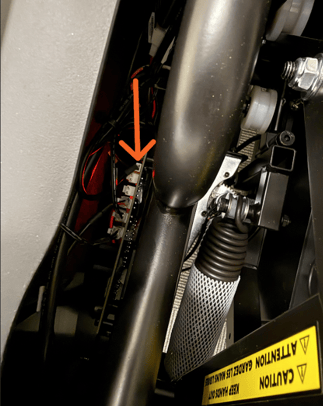
- If you are unable to see if from the top down view, you may need to remove the shroud. With the shroud removed, it is the top-left socket. Refer to the image below as a reference.
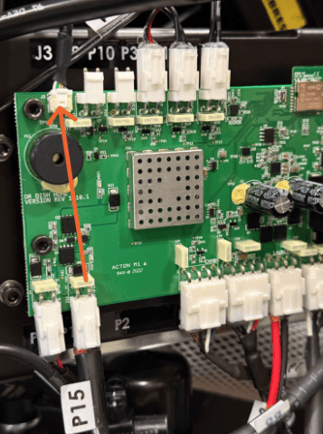
- When looking into the machine from the top, the J3 connection is the top socket, closest to the back of the machine.
- Power on the machine to check whether the issue has been resolved.